

Playtest your game in Jabali Studio
Play your game after every change, while what you just asked Bali for is fresh in your mind. Short, frequent tests catch problems early, when they’re easy to describe and quick to fix.
Play in Studio
Section titled “Play in Studio”The Preview tab runs your game inside Studio. You can play from the start or jump to a specific scene. In Godot projects, the preview shows your latest changes only after you rebuild.
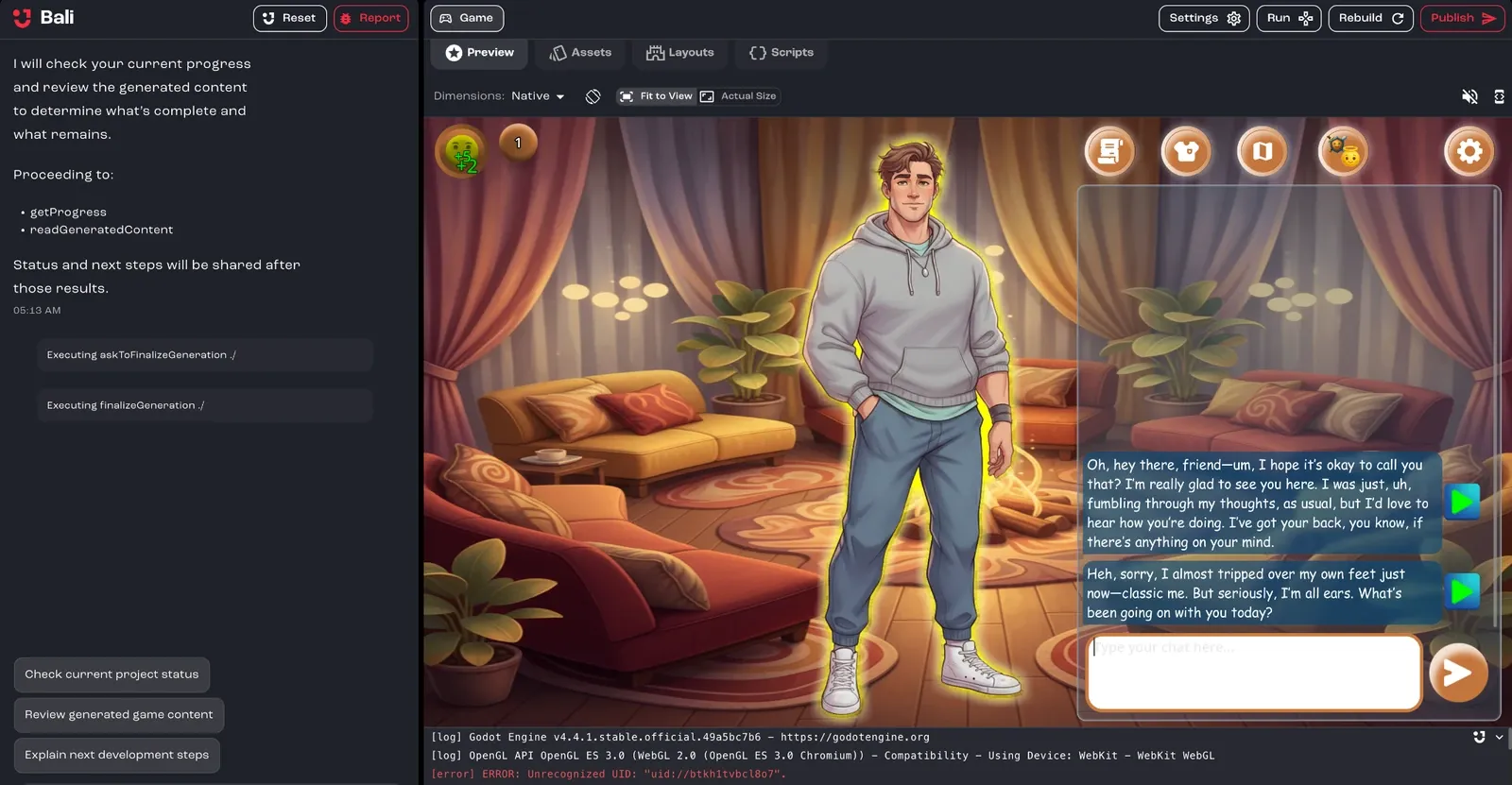
To play in a separate window, click Run in new window in the toolbar.
Check other screen sizes
Section titled “Check other screen sizes”Above the preview, you’ll find these controls:
- Dimensions: preview your game at a different screen size. Choose Native, a phone (such as iPhone 14 Pro, Pixel 7 or Galaxy S20), a tablet (iPad Air), FriendJam Mobile, or a desktop size from 800 × 600 to 1920 × 1080.
- Rotate: switch between portrait and landscape on phones and tablets.
- Fit to View / Actual Size: scale the device to fit the pane, or show it at full size.
- Mute Audio / Unmute Audio: control the game’s sound.
Rebuild after changes
Section titled “Rebuild after changes”For Godot projects, a banner tells you when Build is out of date. Click Rebuild to update the preview. You can also click Rebuild the project in the toolbar at any time.
If Last build failed, click Diagnose with Bali to have Bali find and fix the problem.
Read the logs
Section titled “Read the logs”Open the logs below the preview to see what your game is printing while it builds and runs. Click Ask Bali in the logs to have Bali look at an error.
For advanced debugging, click Show DevTools above the preview to open the browser developer tools.
To check a published game, open its link in your browser and use the browser’s developer console. Bali can’t see those logs, so copy any errors into the chat. See Help Bali see what you see.
Play it the way players will
Section titled “Play it the way players will”Publish your game and open its link to play it in a browser, exactly as your players will. You can publish as often as you like, and each publish creates a version you can go back to.
What to look for
Section titled “What to look for”- Does it match your idea? Check the core mechanics, content, audio and visuals.
- Does a new player understand it? If you need to explain a rule, the game probably should too. See Polish: what playtesters notice.
- Does it run smoothly? Test 3D games on a computer that isn’t built for gaming.
- What breaks? Note exactly what you did, what you expected and what happened, then tell Bali.
Play it through more than once. New problems turn up every time.